

A private space for two,
and an onboarding built for both
and an onboarding built for both
Ourora Connect is a private relationship app for two people. I co-founded it and shaped the product, the design and the Flutter build, from the first screens to the store launches.
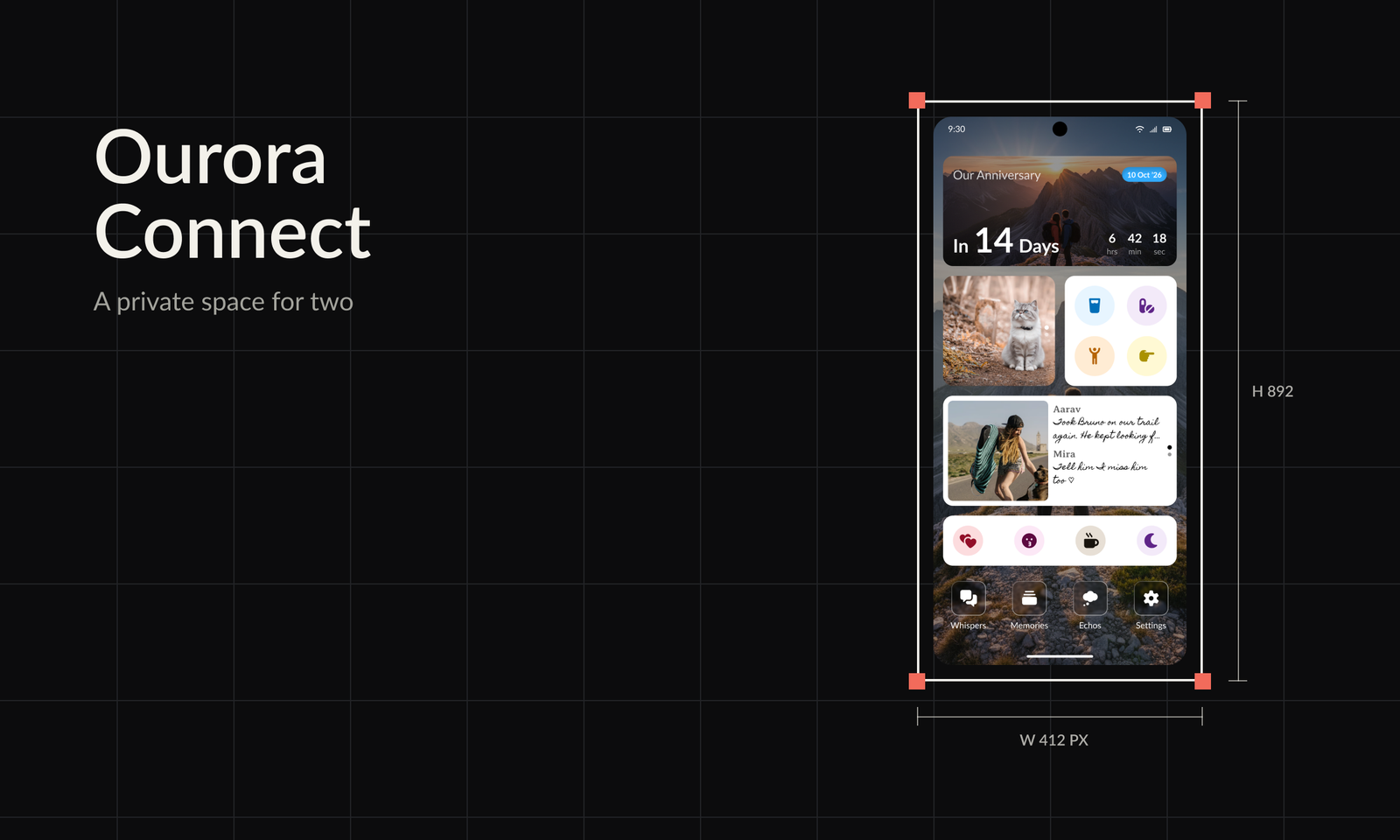

A private space for two people
Ourora Connect is a private app for a couple: one shared space for conversation, memories and small everyday signals. Its tagline is "Paradise for the two of you".
I co-founded Ourora and covered product strategy, design and engineering. The app is built in Flutter for iOS and Android, and it is privacy-first: the only services that receive data are Google, Apple and Agora.
Product principles
Start with the couple
The pair is the product unit. Nothing is useful until two people have arrived and connected.
Protect the individual
Each person keeps their own sign-in, profile and privacy controls inside the shared space.
Private by default
No ads and no tracking. Data goes only to Google, Apple and Agora.
Presence without pressure
Small signals that say "thinking of you" without demanding a reply.
Onboarding two people, not one
A standard onboarding considers one person. Ourora has to onboard two, and each of them needs to understand the value. Pairing is also asymmetric: one person is always ready first.
The person who starts needs to see value straight away and have a reason to invite their partner. Before Onboarding 2.0 that reason did not exist, and the team reported that around 70% of people dropped off after generating a pair code.
A code and a wait
- Sign in, then generate a pair code or paste one
- Nothing to see or do until the partner joins
- The starter has no reason to come back while waiting
Value first, then the invite
- A short profile, then a clear choice to create or enter a code
- The starter lands on a pre-pair home with the code always at hand
- The app can be explored before the partner arrives
- Help is one tap away when pairing stalls
The 2.0 journey
- Sign inPhone number or Google
- Set up profileOnly name and date of birth are required
- Pair with your partnerCreate a pair code or enter one
- Pre-pair homeShare the code and explore Ourora while waiting
- Get help if stuckEnter a code, generate a new one or contact support
- Partner joinsBoth finish setting up the shared space together
Onboarding 2.0
From sign-in to a home the starter can use before their partner joins, and the moment they do.
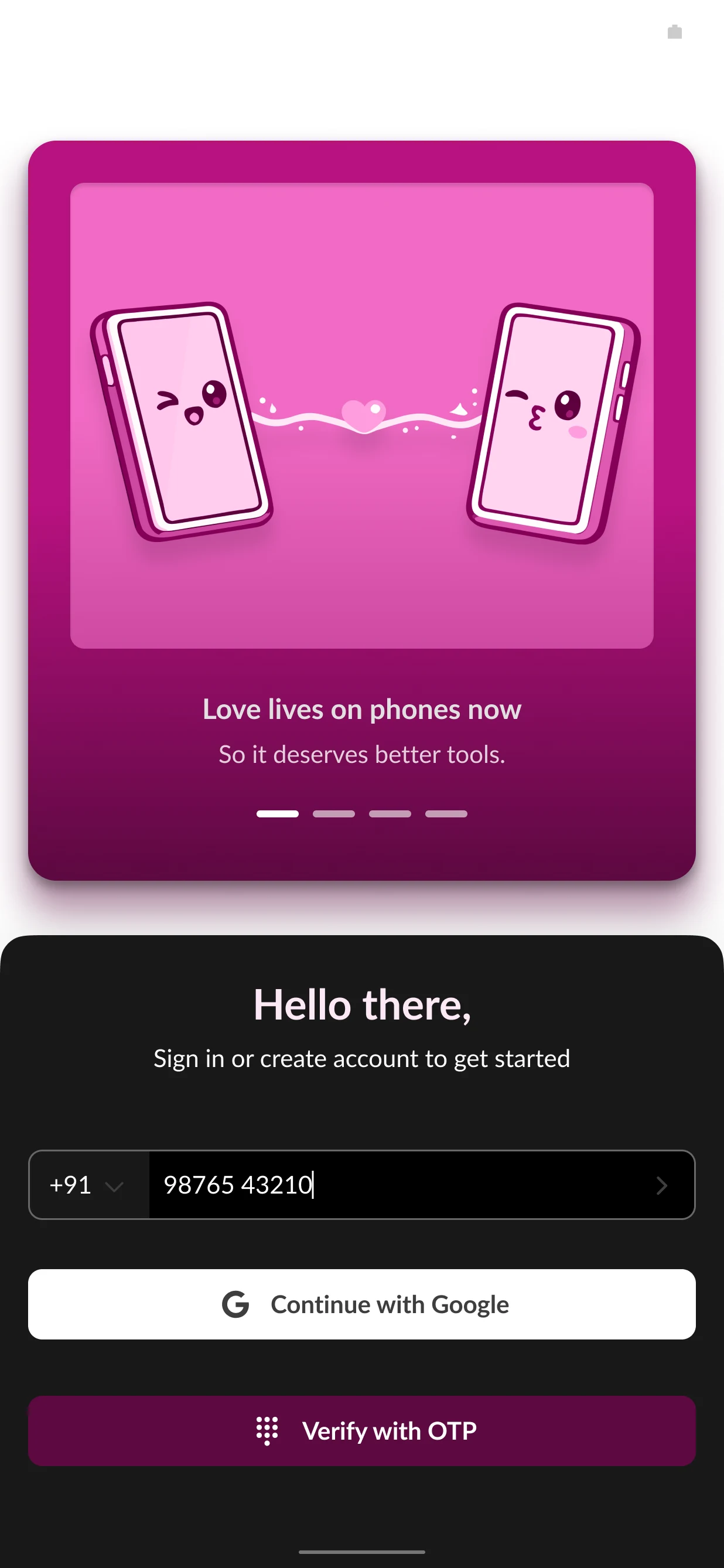
Sign in
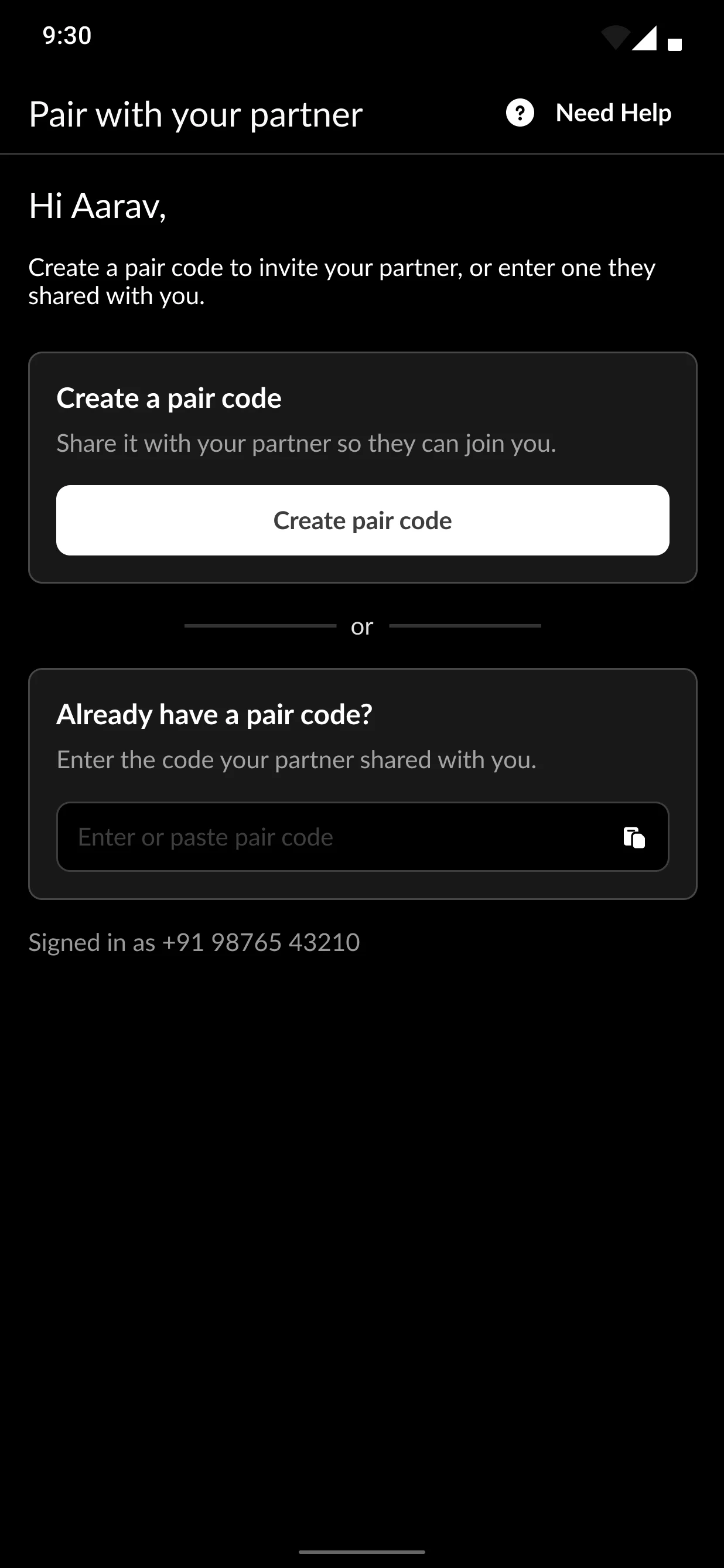
Create or enter a code
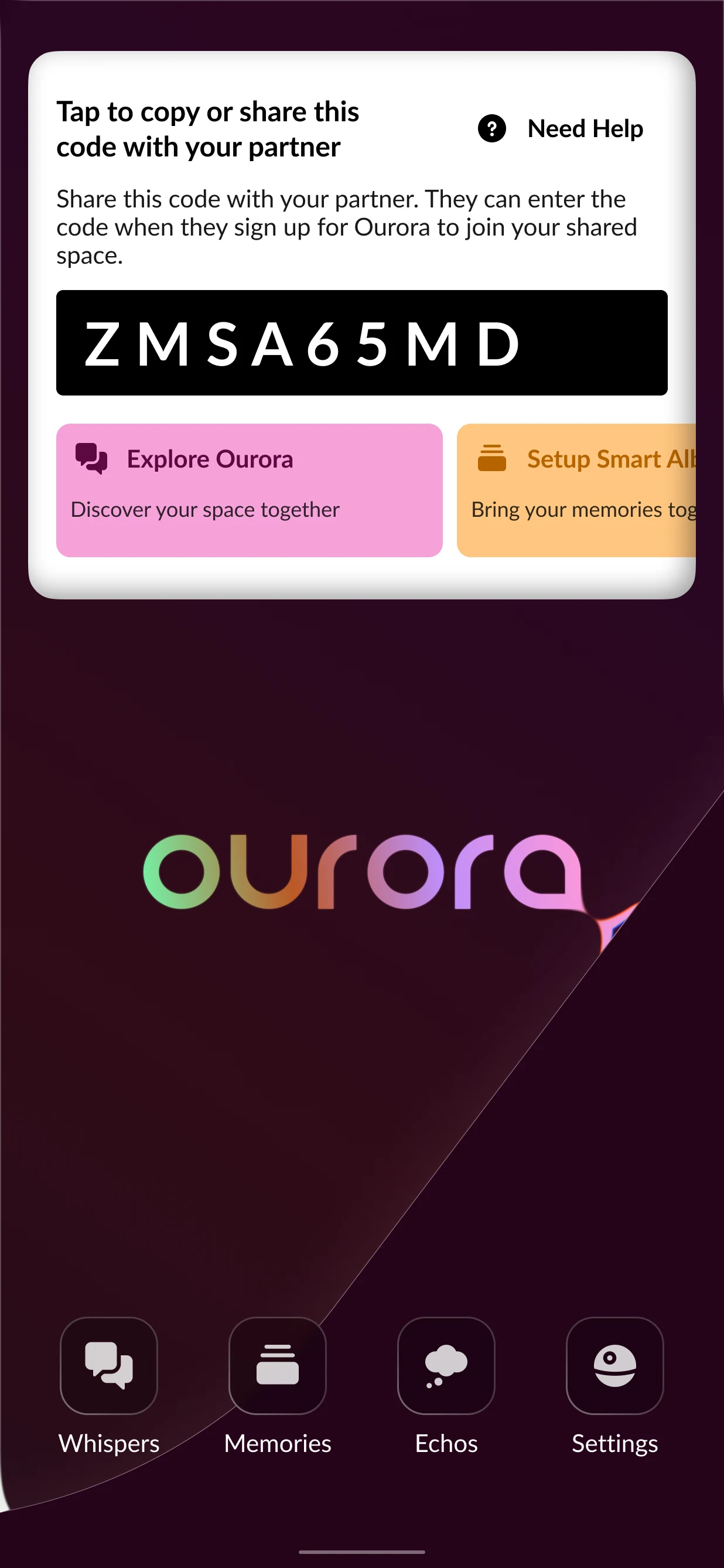
Pre-pair home with the invite code
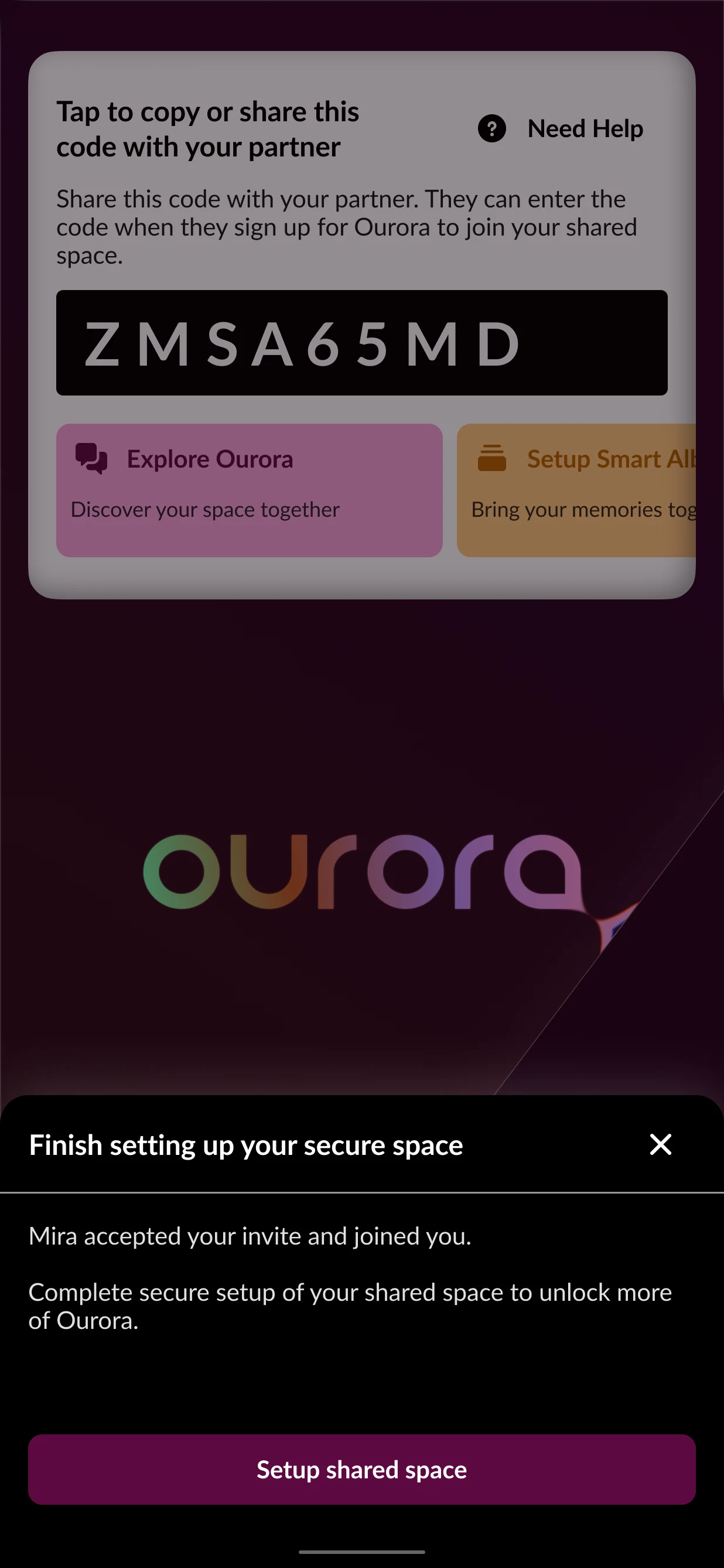
Partner joined: finish setup together
A home of their own
Home is built like a phone home screen. Four app-icon entries, Whispers, Memories, Echos and Settings, sit at the bottom, which leaves the rest of the screen free for widgets the couple chooses.
The aim was for Ourora to feel like a space of their own rather than another app with tabs. The couple chooses which widgets sit on the screen: countdowns, moods, notes and Echos.
Paradise, the shared home
Widgets above, four app icons below.
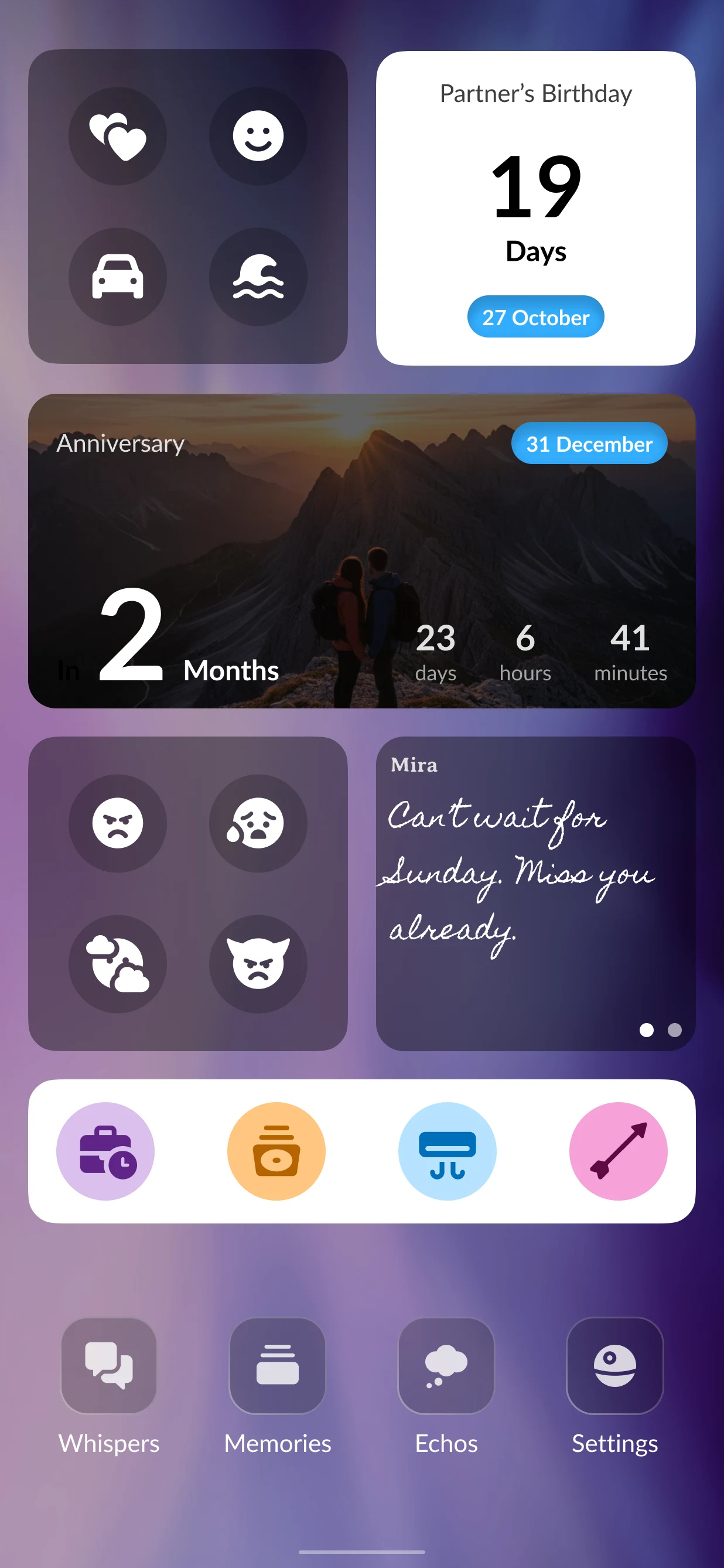
Home with widgets
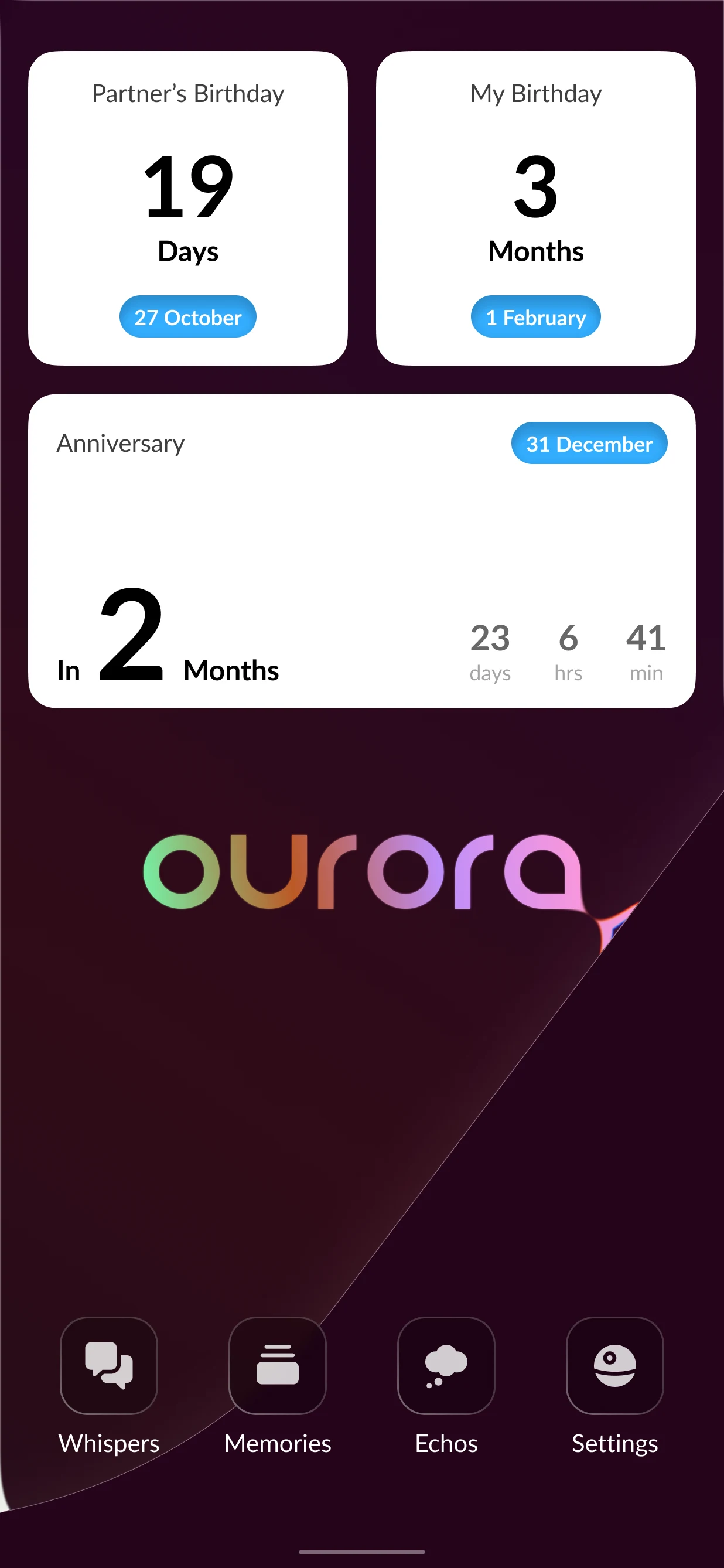
Home with countdowns
Whispers, Memories and Echos
Each area behind the home icons has its own job. Whispers is the private conversation, with topics that keep threads like trip planning in one place. Memories keeps shared photos and albums, and Echos holds the lighter ways to feel close.
The lighter features were reorganised into Echos categories built around ambient presence. Love Letters did not ship and is evolving into Little Things, which is in development.
Whispers
A private chat where topics keep the threads that matter together.
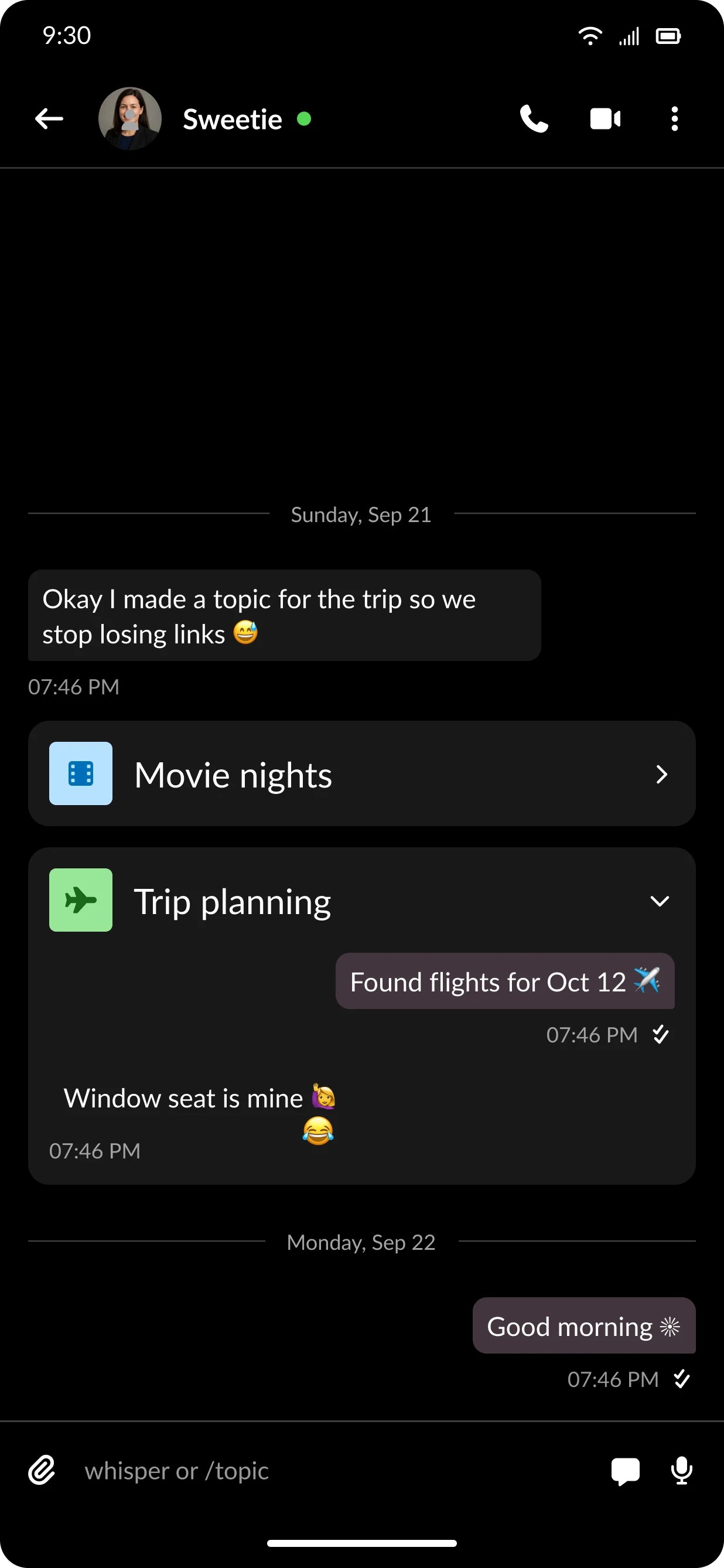
Topics inside the conversation
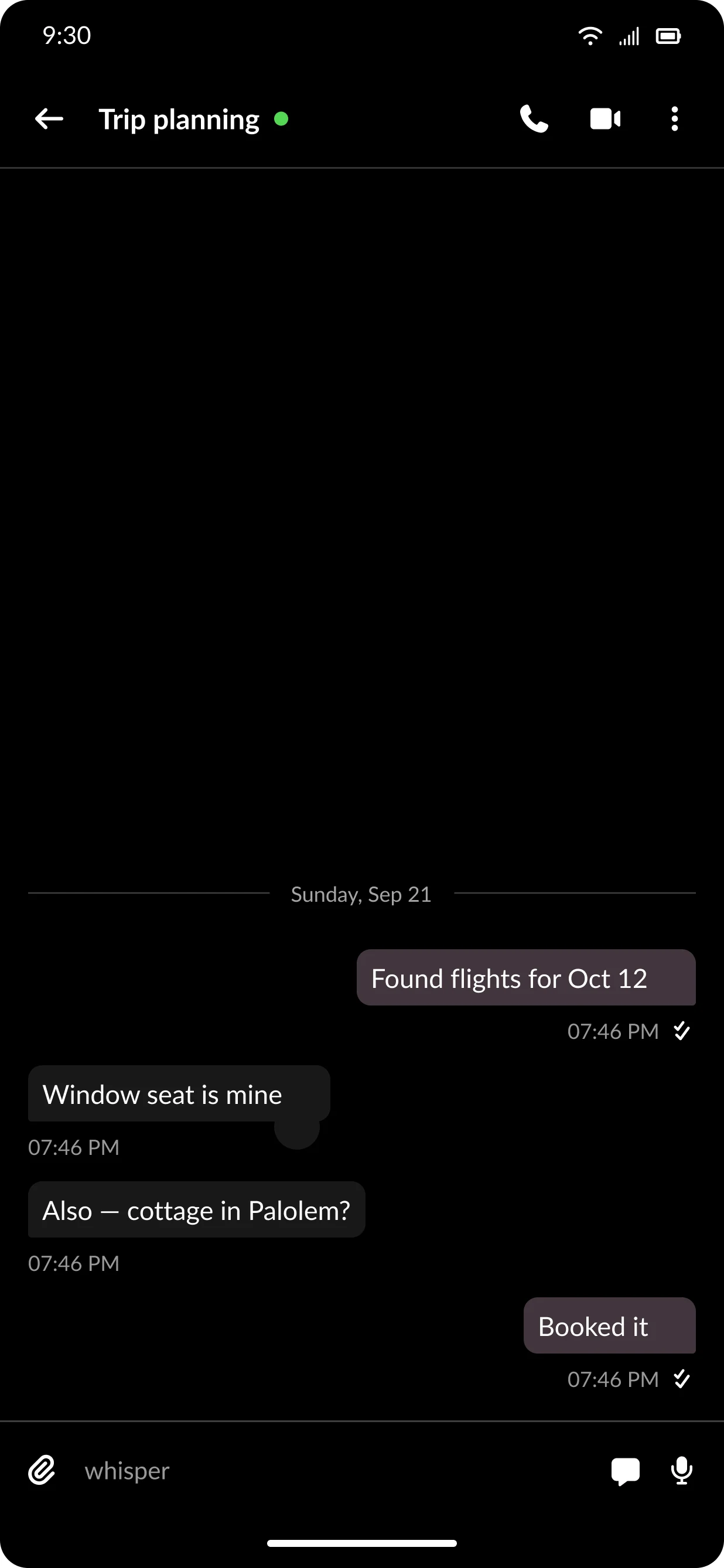
A topic thread
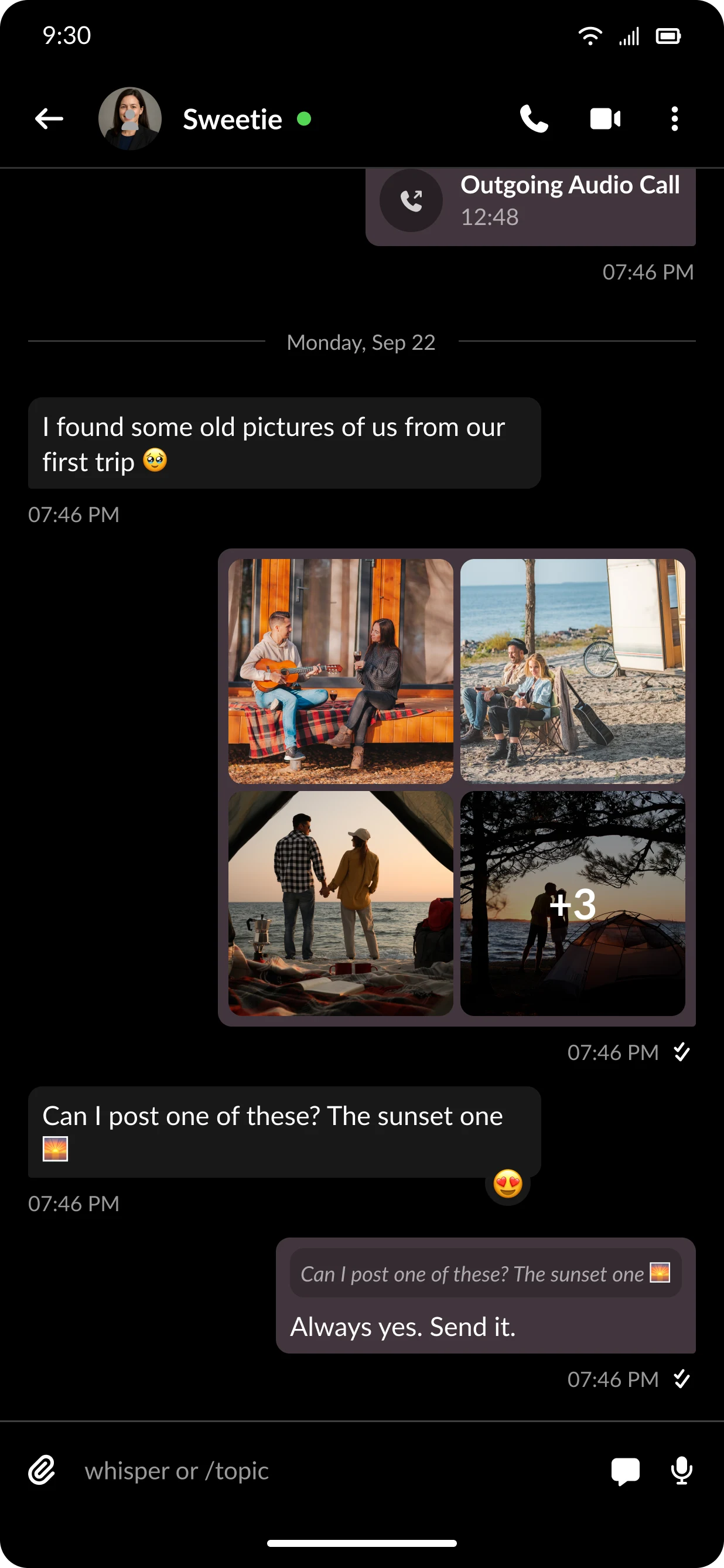
Photos in chat
Memories
Shared albums, plus Smart Albums that sort photos on the device.
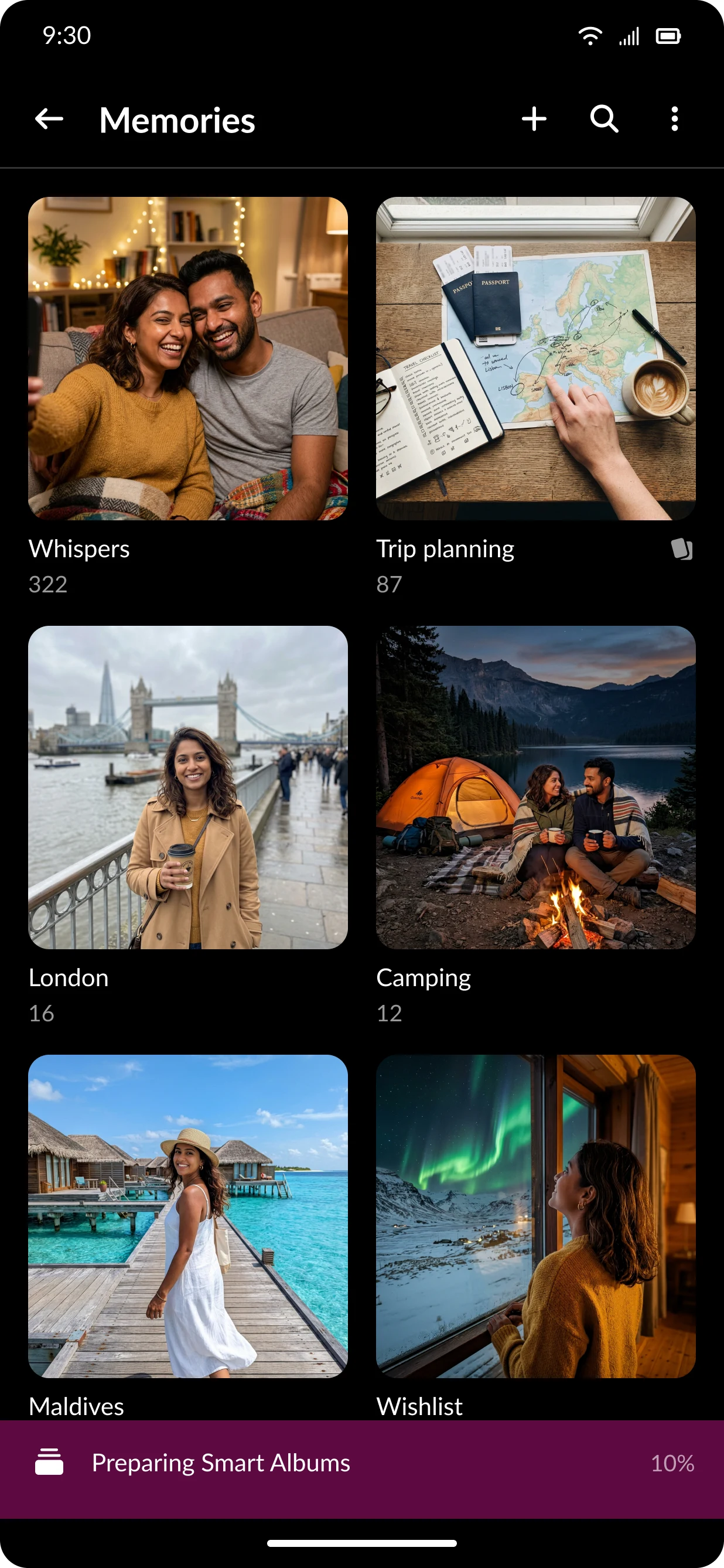
Albums
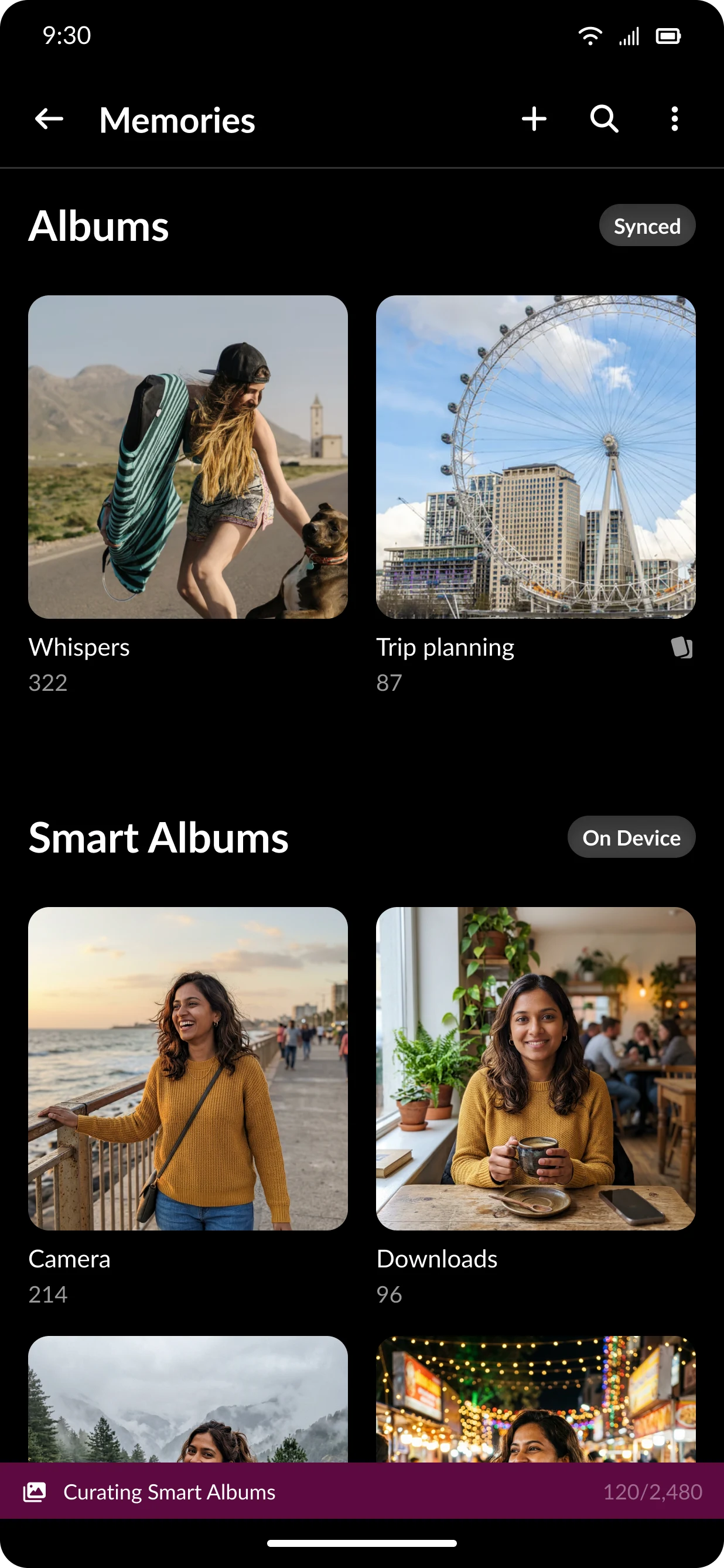
Smart Albums, sorted on device
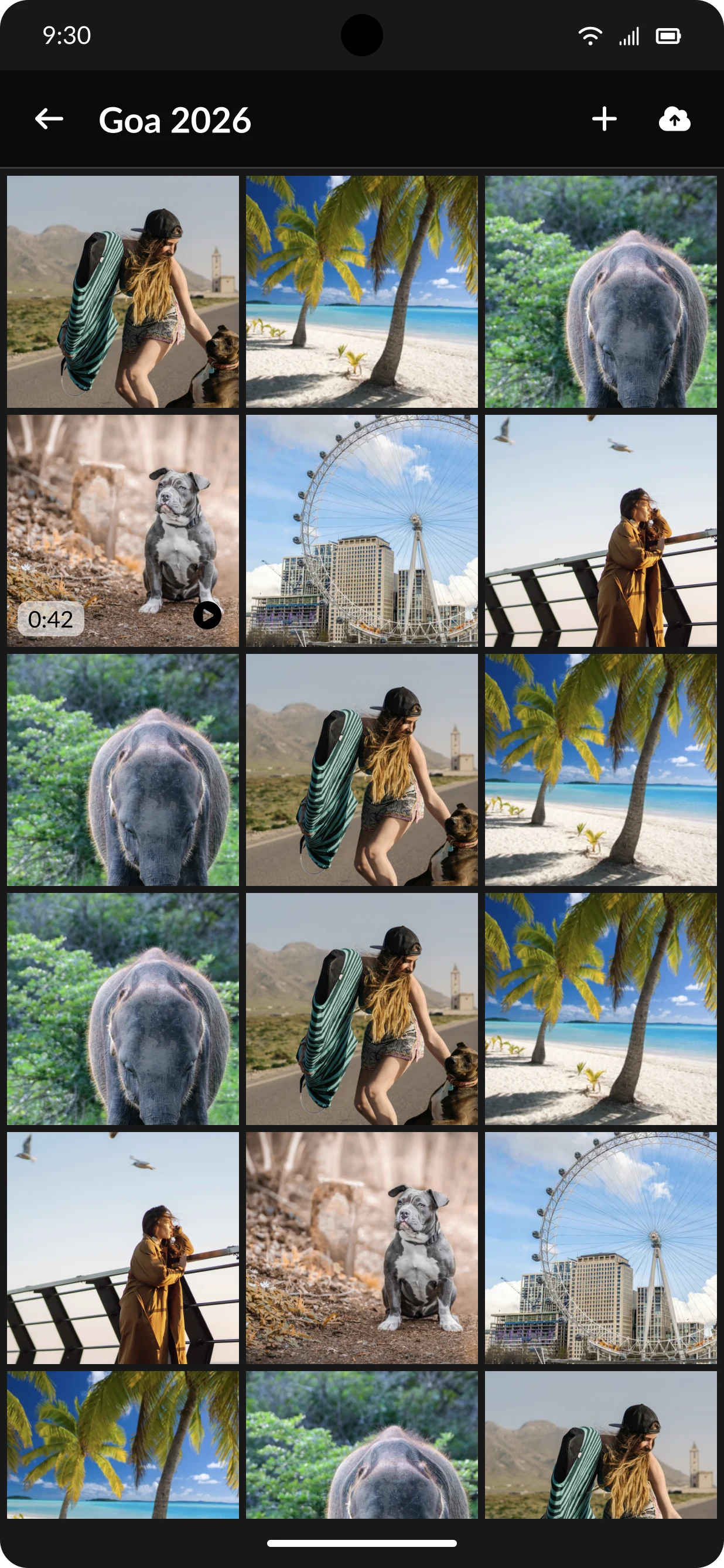
Album view
Echos
Small signals for ambient presence: Countdowns, Postcards and Nudges.
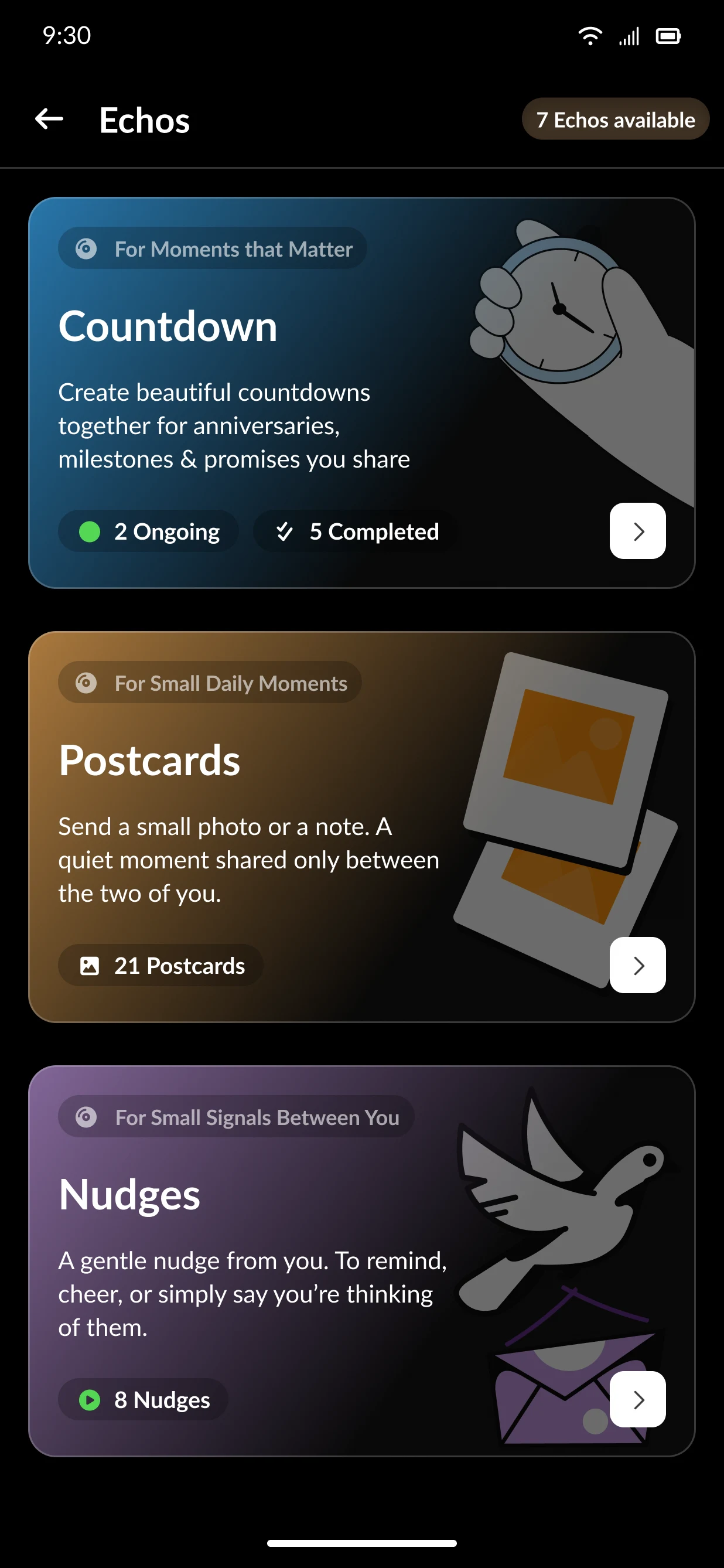
Echos hub
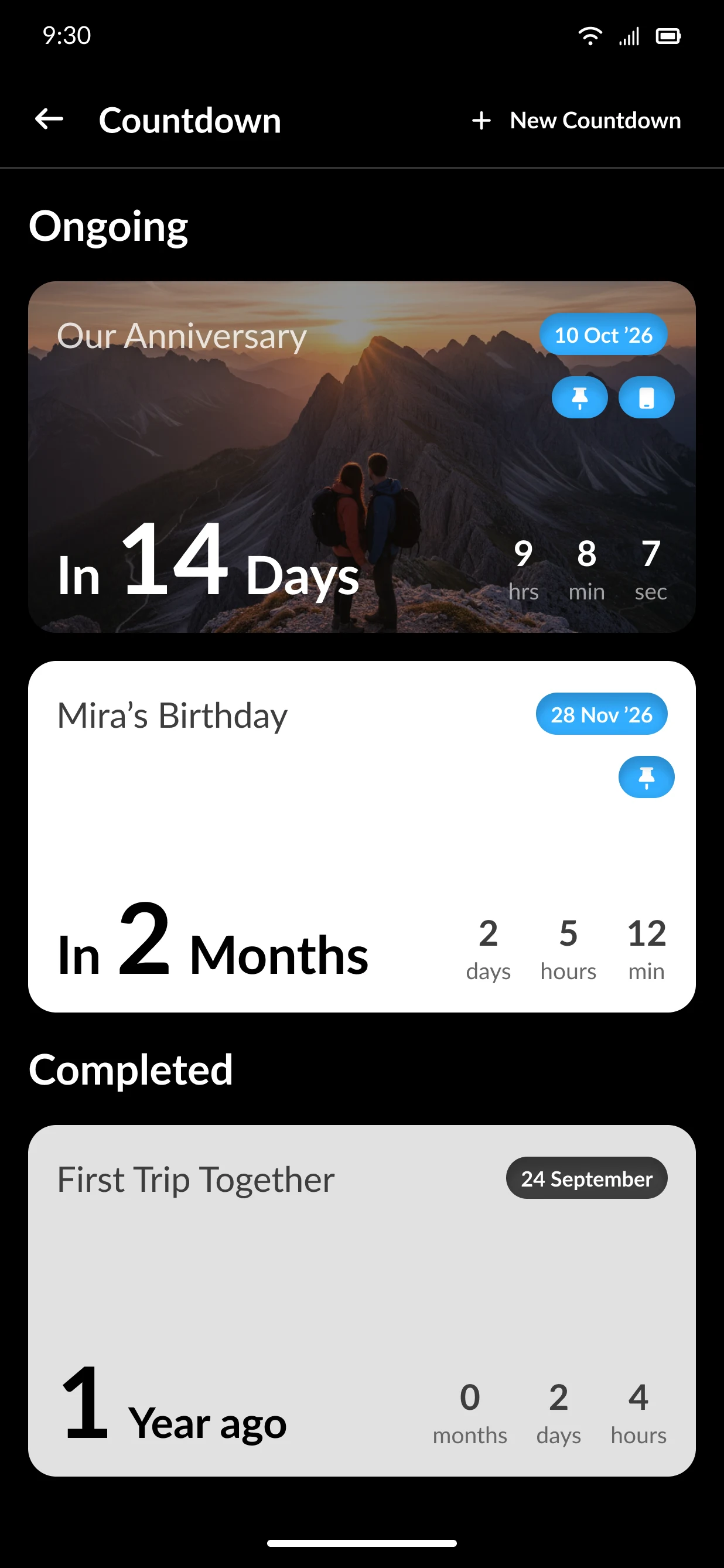
Countdowns
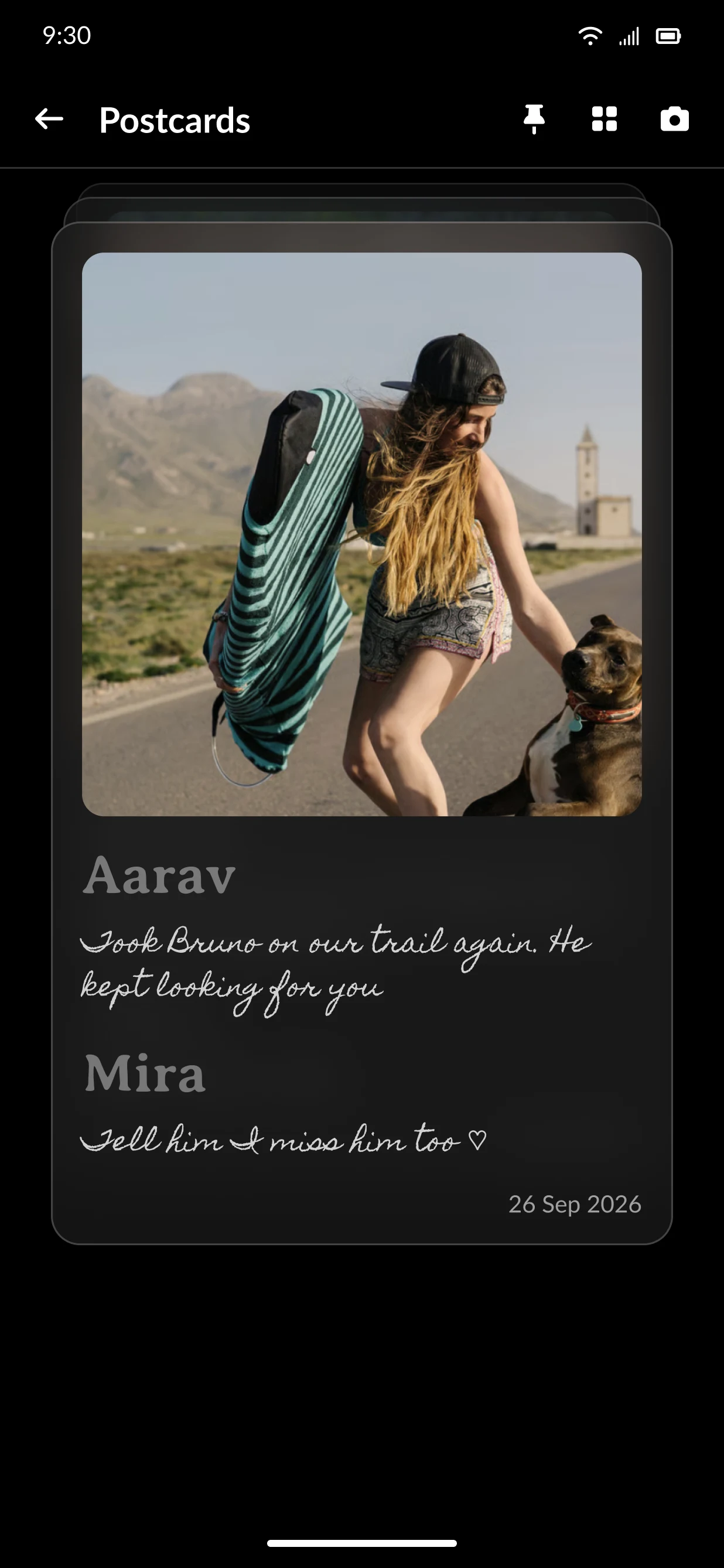
Postcards
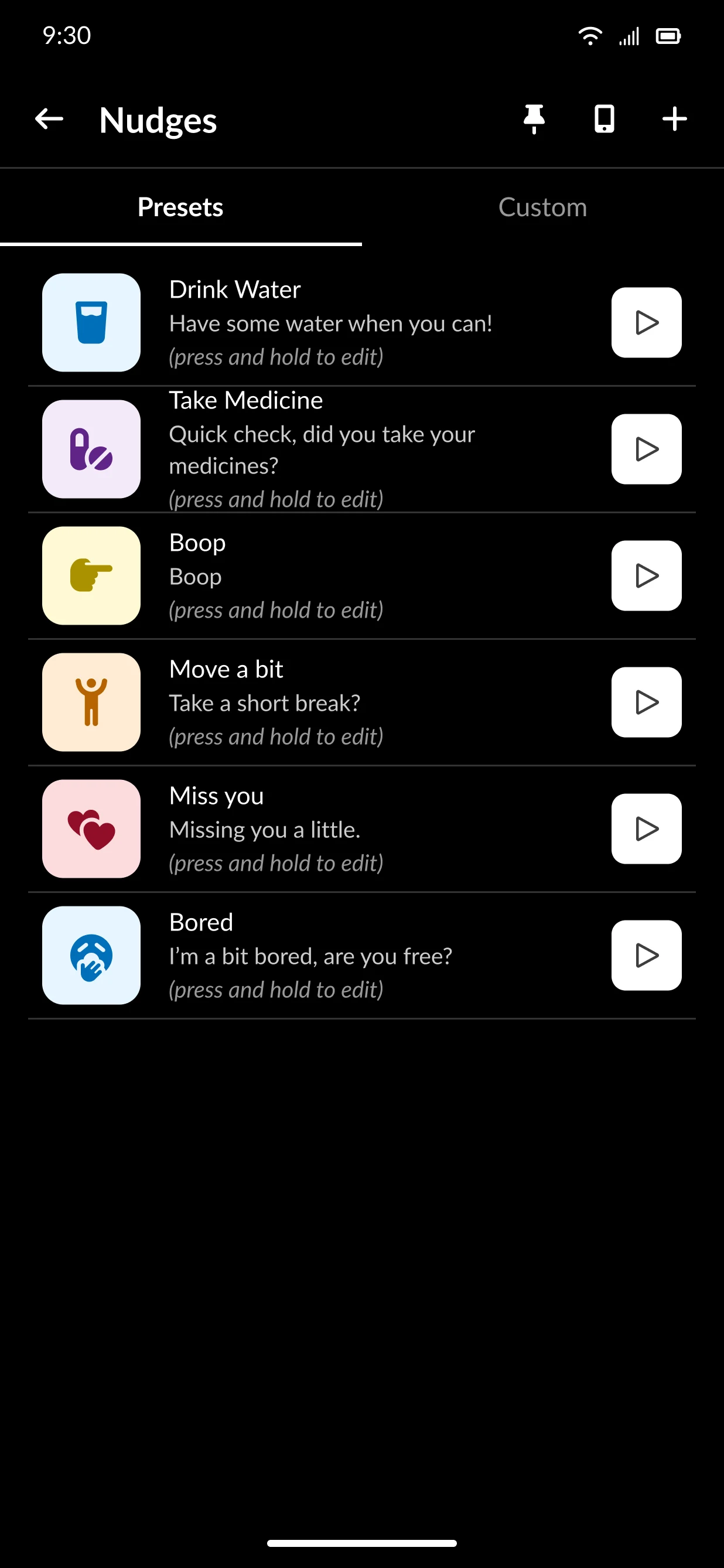
Nudge presets
How the app is organised
The structure follows the home screen: four entries, each a self-contained space.
Shipped, and still shipping
Work started in December 2025. The app reached Google Play in May 2026 and the App Store in June 2026, with 17 releases between March and September 2026. Version 10.0.0 was submitted in September 2026. The measured effect of Onboarding 2.0 on drop-off is still to come.